Codux Codux AI
New release · Driver runtime · v3 mobile handoff

Codux AI
Command center for AI coding CLIs

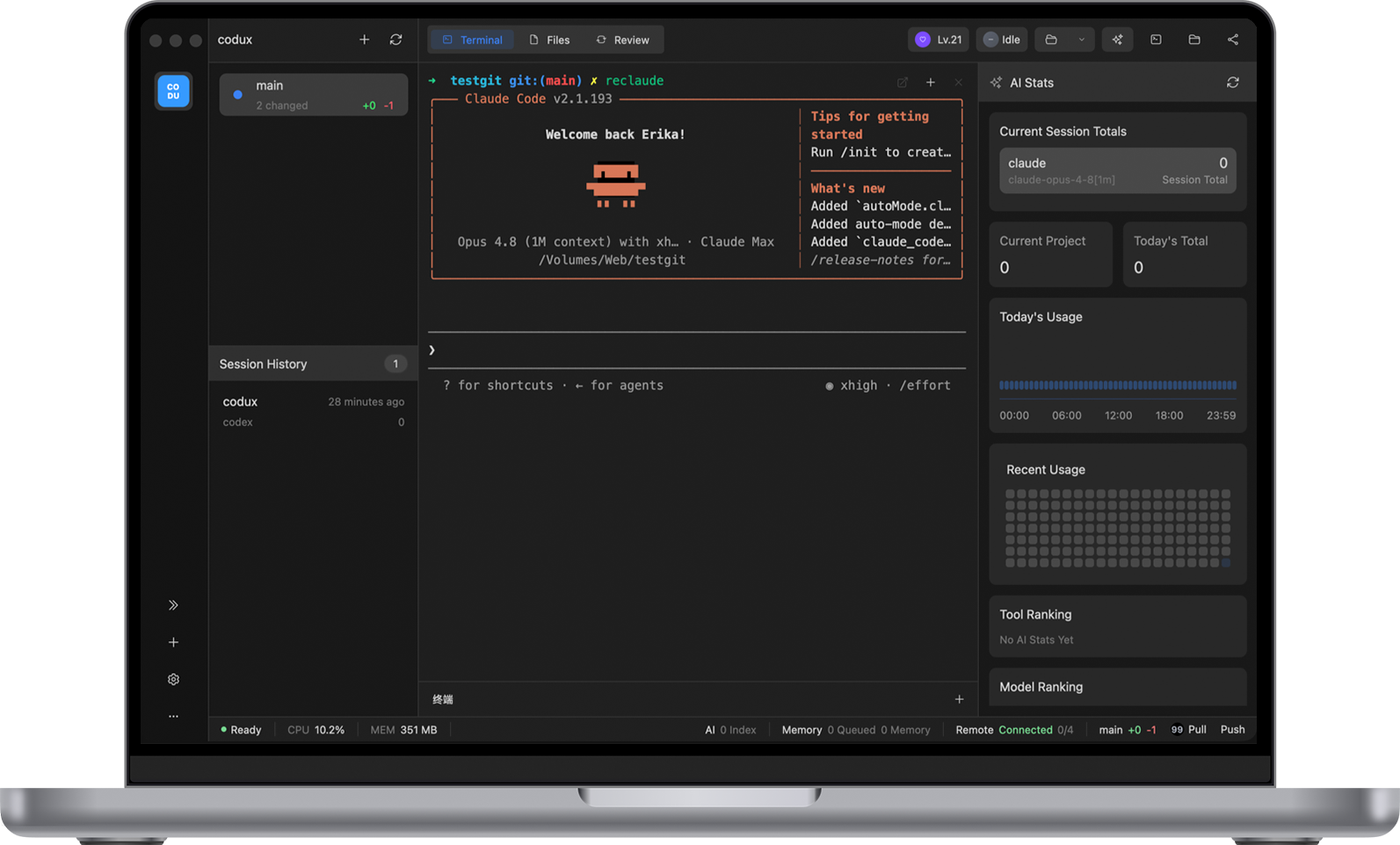
Bring Codex, Claude Code, Gemini CLI, OpenCode, Kiro CLI, CodeWhale, Agy, and upcoming tool drivers into one worktree-aware workstation with terminals, Git, token visibility, evolving memory, SSH, and mobile handoff.

  • macOS + Windows 11
  • Android + iOS
  • Local SQLite memory
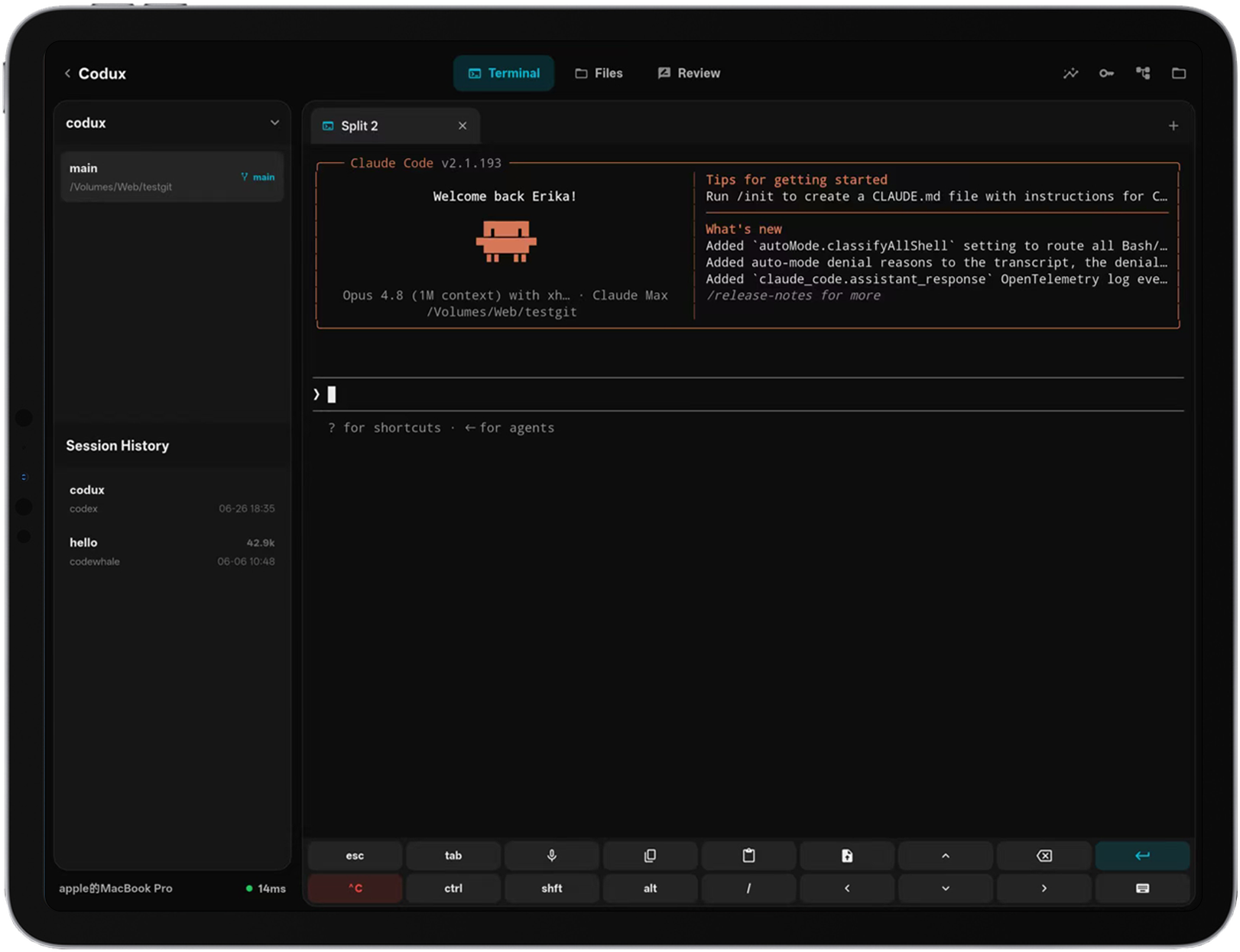
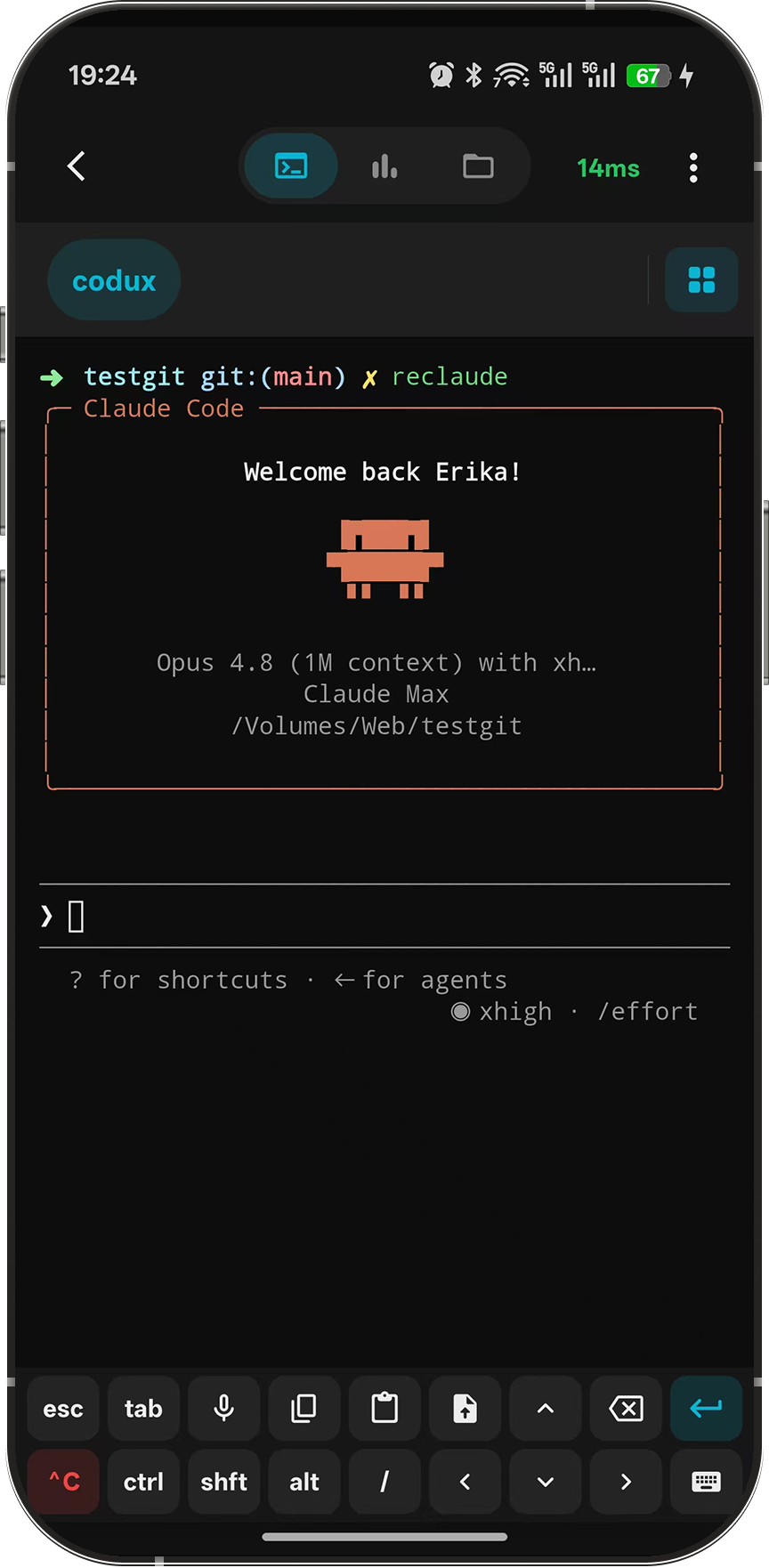
Codux app showcase — desktop workspace and mobile companion
Driver
Runtime architecture
Worktree
Task-first workspace
v3
Mobile transport
SSH
Secure profiles
01 Capabilities

Everything around your AI CLI sessions

Codux is not another editor. It is the control surface for the AI tools, worktrees, and secure connections you already run.

AI Runtime Drivers

One runtime path for every supported AI CLI.

  • Live AI Activity

    Codex, Claude Code, Gemini CLI, OpenCode, Kiro CLI, CodeWhale, and Agy report status through the same driver surface.

  • History & Token Stats

    Track sessions by tool, model, worktree, and project, then reopen previous work in the right CLI context.

  • More AI CLI Tools In Progress

    More AI CLI tools and secure connectors are being added through drivers instead of fixed one-off integrations.

Worktree Workstation

Projects, task worktrees, files, Git, and splits stay tied together.

  • Task Layout Restore

    Each worktree keeps its terminal layout, active tabs, files, Git state, and AI session surface independent.

  • Project File Browser

    Browse, preview, and edit project files, then send the right path or image context into a terminal.

  • Built-in Git

    Clone, branch, stage, diff, review history, push, pull, and sync without leaving the AI CLI workflow.

Evolving Memory

Useful context grows without polluting your repository.

  • Three-Layer Memory

    User habits, project overview, and project notes are stored in local SQLite and rendered into launch files outside your repo.

  • Token-Aware Recall

    Recent notes and project memory are selected under token budgets so injection stays useful instead of bloated.

Mobile & Secure Flow

Keep the workstation available from desk to phone and server.

  • v3 Mobile Handoff

    Codux Mobile pairs by short-lived tickets, prefers WebRTC direct paths, and falls back to the global, China, or custom relay.

  • SSH Profiles

    Connect through codux-ssh without handing raw credentials to AI CLIs. Database profiles are planned, not shipped as final.

02 Architecture

Runtime, memory, and remote transport stay explicit

Tool drivers, local SQLite memory, generated launch files, SSH profiles, and v3 mobile handoff stay in clear layers.

Three-layer memory rendered at launch

Codux stores durable memory in local SQLite, separates user habits from project knowledge, and keeps recent working notes under an injection budget. When a CLI starts, Codux renders app-private MEMORY.md, memory-user.md, memory-project.md, memory-recent.md, memory-search.md, and tool entry files outside your repository.

01
User memory
Across projects

Coding habits, response preferences, and durable personal workflow rules

02
Project overview
Per repository

What the project does, tech stack, modules, commands, and source signals

03
Project notes
Evolving over time

Decisions, conventions, bug lessons, and recent notes selected by relevance

v3 ticket pairing, direct path when available

Codux Mobile pairs with the desktop host through a short-lived relay ticket. Leaving the relay setting empty uses https://codux-node.dux.plus; China users can choose https://codux-service.dux.plus, and teams can point Codux at their own v3 relay. The desktop remains the real terminal host.

DESKTOP
Codux Desktop
Real terminal host
RELAY
v3 Relay / WebRTC
Ticket exchange, signaling, fallback relay
MOBILE
Codux Mobile
Android and iOS companion
  • Pairing starts from a short-lived ticket
  • WebRTC direct path when available
  • End-to-end encrypted payload
  • Global, China, or custom relay

The relay handles ticket exchange, signaling, and fallback transport. It never becomes the desktop host and does not replace paired-device encryption.

03 Who it's for

Built for developers who already live with AI CLIs

When one model is not enough and one terminal is too little, Codux gives the workflow a home.

Heavy AI CLI users

You switch between Codex, Claude Code, Gemini CLI, OpenCode, Kiro CLI, CodeWhale, and Agy. Codux gives them one driver-based runtime with shared context, session history, and usage stats.

Worktree task workers

Projects, worktrees, terminals, files, Git state, and AI sessions stay tied together so each task has its own restored workspace.

Privacy-minded teams

Memory and stats stay local by default. Launch files are generated in app-private storage, not committed into your repository.

Secure connection users

Use SSH profiles through codux-ssh without exposing credentials to AI CLIs. More AI CLI tools, database profiles, and secure connectors are on the driver roadmap.

04 Mobile

Leave the desk without losing the session

Codux Mobile controls your desktop host through v3 ticket pairing, WebRTC direct transport, and WebSocket relay fallback.

Codux Desktop

Main app for projects, terminals, Git, AI stats, memory, and remote hosting on your workstation.

Desktop Releases

Codux Mobile

Android and iOS companion for paired terminals, file browsing, text edits, image uploads, and AI stats.

Mobile Releases

Codux Relay

Ticket exchange, WebRTC signaling, and WebSocket fallback. Leave the setting empty for the global node, or use a regional/custom relay when needed.

Relay Guide
Global public node https://codux-node.dux.plus
China node https://codux-service.dux.plus
05 Quick Start

Install, add a project, start a CLI

Use a release package or the package manager path that fits your machine.

~ codux
$ brew install --cask duxweb/tap/codux
  1. 1 Install the cask with one command above when you are on macOS.
  2. 2 Launch Codux, click New Project, and pick a repository directory.
  3. 3 Start a terminal split and launch your preferred AI CLI from the project context.
Community

Add the author on WeChat

Scan the QR code, add a short Codux note, and ask to join the DUXAI community group.

The QR code is maintained from the Dux AI community page.

Author WeChat QR code
06 FAQ

Straight answers before you try it

How Codux fits beside terminals, editors, privacy rules, and mobile work.

How is this different from Warp / iTerm2 + many CLIs?
Warp and iTerm2 are great terminals; Codux is a workspace built on top. You get project-aware terminals, a native Git panel, AI usage stats and session restore across tools, and three-layer memory — without leaving the terminal.
Does Codux upload my code or AI conversations?
No by default. Memory and stats live in the app data directory. Nothing leaves the workstation unless you configure an AI provider, use a CLI that calls its own cloud service, or explicitly opt in to mobile pairing.
Can I disable the pet?
Yes — one click in Settings. The pet is opt-in by design.
How does the mobile connection actually work?
Codux Mobile pairs with the desktop host through a short-lived v3 relay ticket. It prefers WebRTC DataChannel when a direct path works and falls back to WebSocket relay through the global, China, or custom relay node.
How does Codux compare to Cursor / VS Code?
They're editor-first; Codux is terminal-first. Codux pairs naturally with whichever editor you already use — it doesn't replace it.
Are all AI CLI tools and database profiles already final?
No. SSH profiles are available today. More AI CLI tools, database profiles, and additional secure connectors are still being added through the driver model.
Which platforms are supported?
Codux is designed for macOS and Windows 11 on desktop, with Android and iOS as the mobile companion layer. Linux is not a committed desktop target yet.
Ready when you are

Give every AI CLI one command center

Open source, local-first, built for multi-project AI coding on desktop and mobile.